
Appearance
Save a copy for sharing
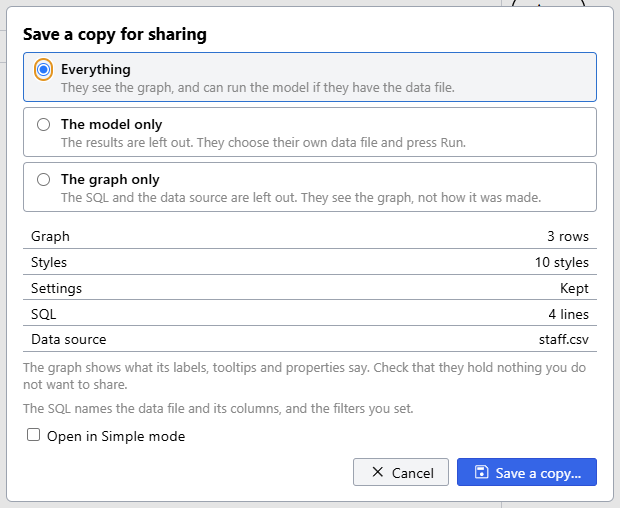
Save keeps everything and asks nothing, because it is for your own work. Save a copy for sharing is for the other case: you want to give a project to someone, and you want to choose what goes with it. It makes a separate file, and it never changes the project you have open or the file that project is saved in.
The command is the button beside Save as in the left pane, and Save a copy for sharing in the File menu. It is not in Simple mode, which has nothing of its own to share.
What a project file holds
A project file does not hold your spreadsheet. It holds the rows of the graph, the styles, the settings, and the SQL of the script with the data source setting, which is the name of the file and its folder. So a project that has been run already carries its graph without the spreadsheet. What can still give something away is what the graph says, in its labels, tooltips and properties, and what the SQL says: the names of sheets and columns, your filters, and the name and path of the data file.
The three choices
| Choice | What the copy holds | What the person can do |
|---|---|---|
| Everything | The model and the results of the last run. | See the graph, and run the model if they have the data file. |
| The model only | The model, without the results. | Choose their own data file and press Run. |
| The graph only | The graph, without the SQL, the filters or the data source. | See the graph, but not how it was made. |
Leaving out both the results and the SQL would make an empty file, so it is not offered. A project with no SQL has nothing to leave out, so the window does not ask: the copy is the same as the project.
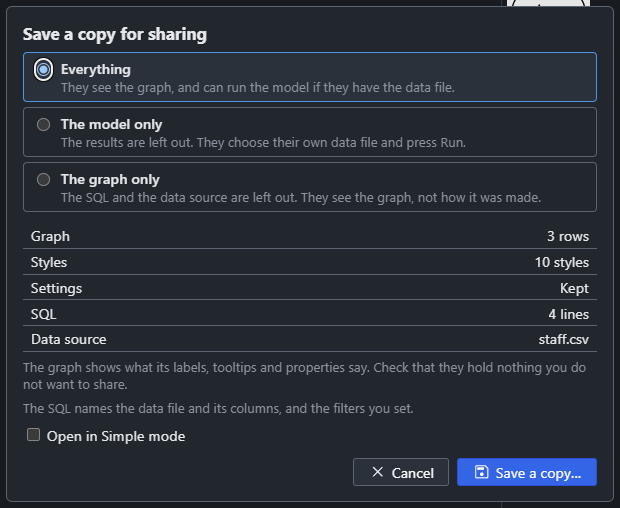
A list under the choices shows what the copy will hold, and changes as you choose: the graph, with its number of rows; the styles; the settings; the SQL, with its number of lines; and the data source. Anything that is left out is struck through. Two short notes say what travels: the graph shows what its labels, tooltips and properties say, and the SQL names the data file, its columns and your filters. Read them before you send the file.
Open in Simple mode
For Everything and The model only, a box asks whether the copy opens in Simple mode. That is for people who only run the model; Full mode is one click away in the title bar. The box starts as the project already asks. A copy of The graph only always opens in Simple mode, because a graph with no SQL is only to be looked at.
The request is kept in the file, in its settings. Pressing the switch in the window never changes it.
The check before sharing
When the SQL travels in a copy that asks for Simple mode, the program looks through the script before it asks where to save. In Simple mode a person chooses their own data file and presses Run, so some lines would not behave as they expect. It lists them, each with its row on the SQL tab:
- Lines that name a file with a folder, such as
data\sales.csv. The folder a person chooses does not apply to them. - Lines that name a full path, such as
C:\data\sales.csv. It is found only on your computer. - A
SET DATA FILEline. The lines after it read its file, whatever file the person chooses.
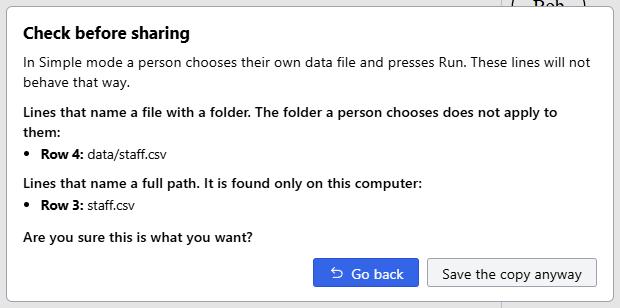
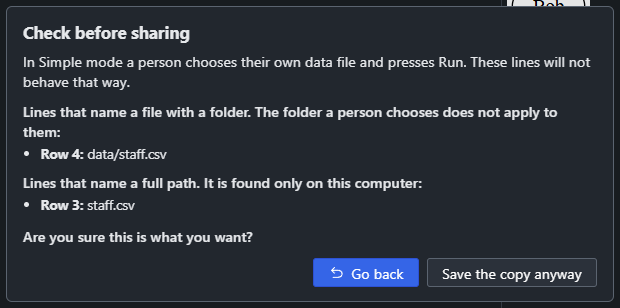
The window asks Are you sure this is what you want? Go back returns to the choices and saves nothing. Save the copy anyway goes on. A model with nothing to list is not checked. Names with no folder, such as sales.csv, are never listed: they follow the folder the person chooses.
Saving
Save a copy... asks for a file name, and suggests the name of the project with an ending that tells the copies apart: - model only, - graph only, or - copy. When it is saved, the pane says so under the buttons. Your project is as it was.
What the person who opens it sees
- A copy of Everything that asks for Simple mode opens with its graph drawn and the Run section ready.
- A copy of The model only opens with an empty diagram. They choose their data file and press Run.
- A copy of The graph only opens with its graph, with no Run section, because there is nothing to run.
A copy that does not ask for Simple mode opens in Full mode, as any project does. To share a picture with someone who does not have Graph Modeler, use Publish.